AutoChess Planner
Comps for this lobby
Tries every Race and Class and finds the strongest 8–10 unit board this lobby can support, scored on unit power, synergy depth and how easy the copies are to collect. Unseen legendaries count by their chance to exist.
Mark the legendaries you see in the lobby. The planner ranks the comps this lobby supports, tells you when to level, roll or block, and which blocks are actually worth the gold.
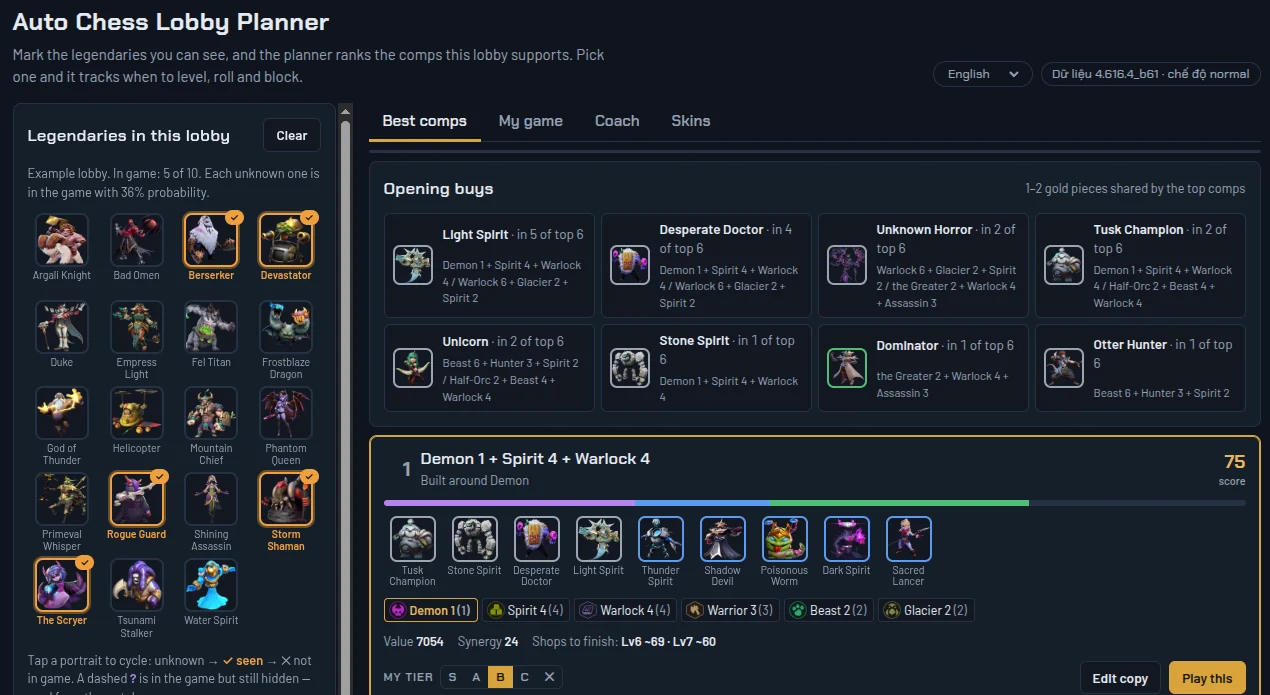
Tries every Race and Class and finds the strongest 8–10 unit board this lobby can support, scored on unit power, synergy depth and how easy the copies are to collect. Unseen legendaries count by their chance to exist.
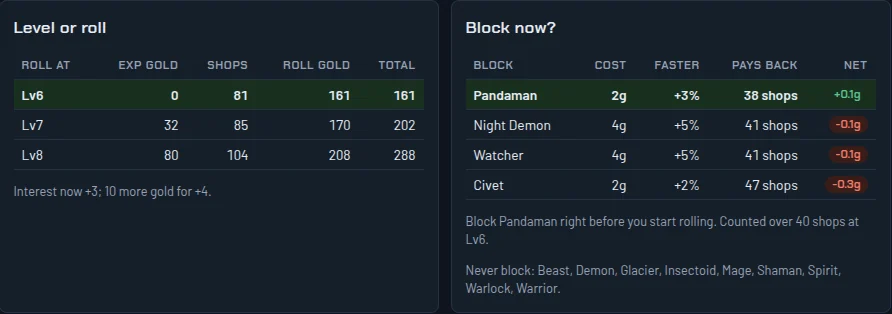
The exact block cost right now, how much faster you finish and how many shops it takes to pay back. It never suggests blocking a group that holds one of your units.
Compares the total gold to finish your board rolling at Lv6, Lv7 or Lv8, with your next interest breakpoint.
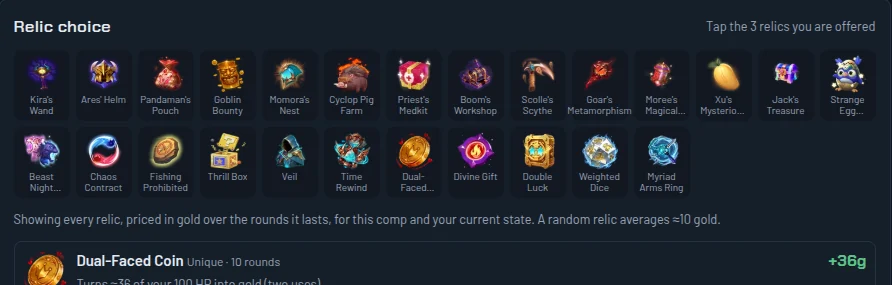
Every relic is priced in gold over the rounds it lasts, for your comp and your current state.
Runs next to the game and fills in your round, gold, level, units and your opponents’ boards as the TAB panel shows them. No typing, Python is bundled.
Records every match, explains each lost fight, and learns your own leaks and level targets after every game.
Also: chess piece skins (optional, only on your screen) · English and Vietnamese interface.
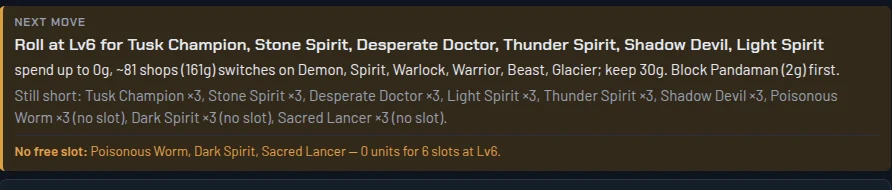
Pick a comp, enter your round, level and gold. The planner tells you where to roll, how much to spend, what to keep, what to block first and which copies you still need.
A block usually pays back only after about 25–60 shop views. The planner works that number out for your game and shows which blocks earn gold and which lose it.
Tap the 3 relics you are offered. Each one is priced in gold for your comp and state, so you don’t have to guess.
Get AutoChessPlanner-….zip above and unzip it into a folder. Nothing to install.
Run AutoChess Planner.exe from that folder. If Windows SmartScreen warns you, click “More info”, then “Run anyway” (the file is not code-signed).
Start Auto Chess. The app picks up your match; or mark the legendaries by hand to see the comps.
Yes, completely. If it helps you, you can buy the author a coffee with the QR code below.
The file is not code-signed (a signing certificate is expensive for a free project). Click “More info”, then “Run anyway”. Every release lists SHA-256 checksums so you can verify the file.
The live watcher reads the game’s memory (read-only, it never changes it). Anti-cheat could treat that as a violation, and the author cannot guarantee it is safe. The optional Skins tab writes to the game’s memory on your PC, which is riskier. Decide before you use it.
Diagnostics to fix bugs: your PC’s hardware, the app version, its log and crash reports, plus your IP address. It does not send your Windows user name, PC name, file contents or match recordings. Details are on the Privacy page. Privacy →
Not yet: Windows 10/11 64-bit only.
The numbers come from the current game version. When an update changes shop odds, pool sizes or block costs, a new release is posted here.
The planner is built and kept up to date by one player. If it wins you a few more games, a coffee keeps the project going.
Scan with any banking app: SePay · NAPAS 247 · MB · VietQR. Any amount helps.